Guests order from the table. Orders go straight to the kitchen.
Guests scan the QR code on the table and order from their own phone, with the menu in English, Italian or Chinese. Orders appear on the kitchen tablet and every table’s bill adds itself up. No app to download.
Waiters run back and forth taking orders, and dishes get mixed up.
Now
Guests order on their phone: dishes and notes arrive clearly written, straight to the kitchen.
Before
Foreign guests can’t read the menu, and explaining allergens takes ages.
Now
The menu switches between English, Italian and Chinese in one tap, and every dish lists the 14 EU allergens.
Before
Paper tickets get lost in the kitchen, and nobody knows which table has waited longest.
Now
The kitchen tablet lists orders as they came in, shows how many minutes each has waited and rings for new orders.
Before
Ready dishes sit at the pass, or go to the wrong table.
Now
The pass screen lists ready dishes by table; one tap when they’re served.
Before
Wrong totals and forgotten extra rounds at checkout.
Now
Every order from everyone at the table goes into one bill; cancelled dishes aren’t charged.
Before
No clear view of what each table spent today.
Now
Look up closed bills by date.
From order to bill, in one system
Guests, waiters, kitchen and owner each get their own screen, and orders and bills stay connected.
QR ordering with a menu in three languages
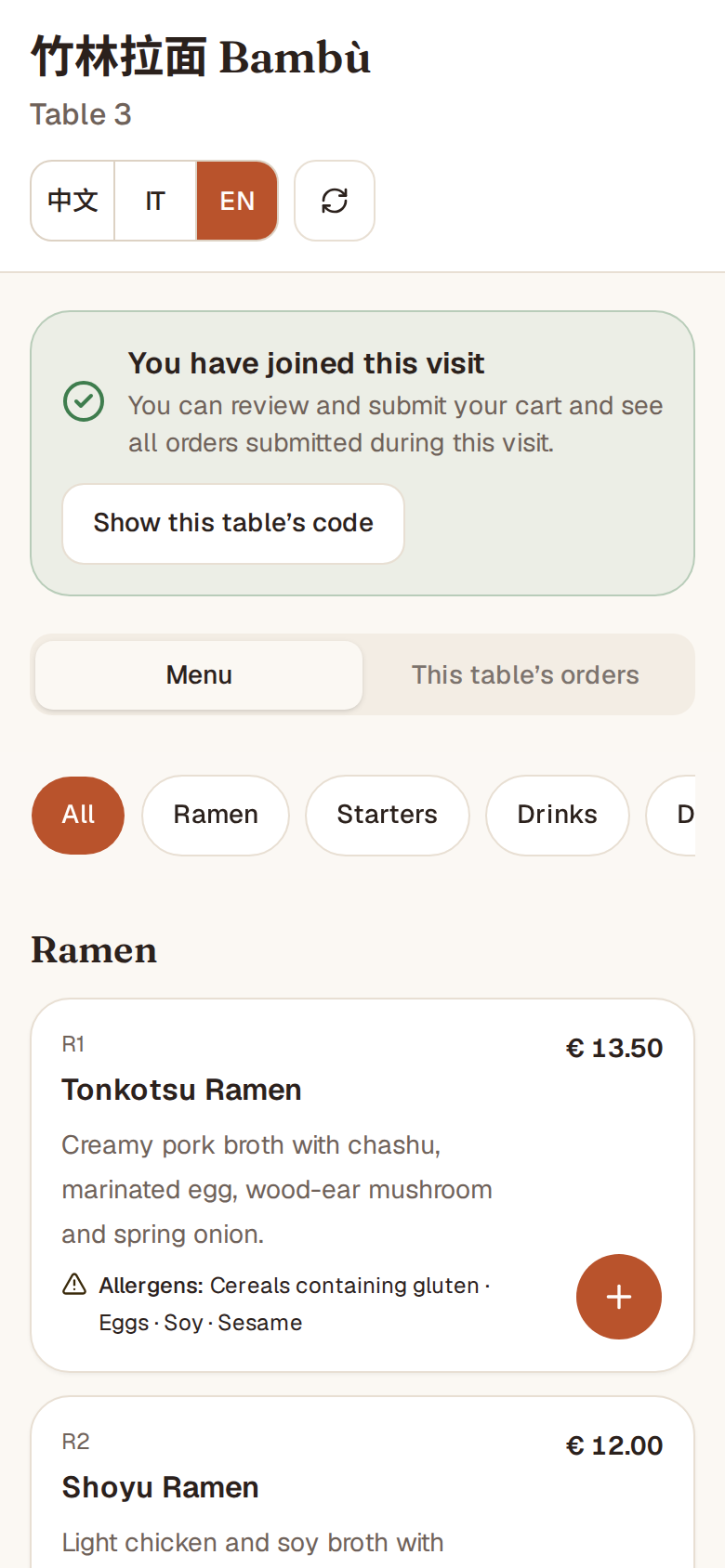
Guests sit down, scan the QR code on the table and order from their own phone. Everyone at the table can order.
No app to download, no sign-up
中文 / Italiano / English in one tap; the choice is remembered
Price, description and allergens for every dish; sold-out dishes show “Sold out” and can’t be ordered
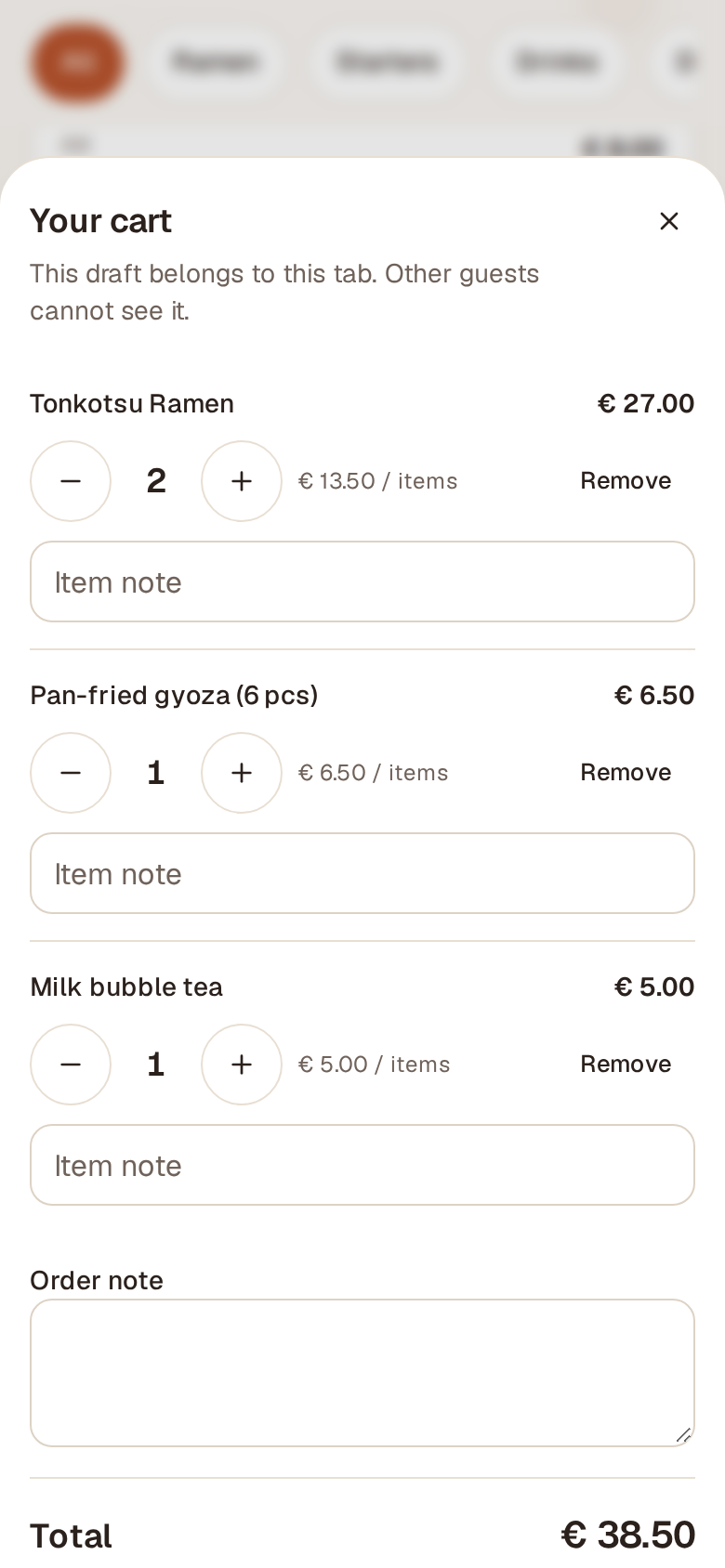
Everyone has their own cart, with notes like “less spicy” or “no spring onion”
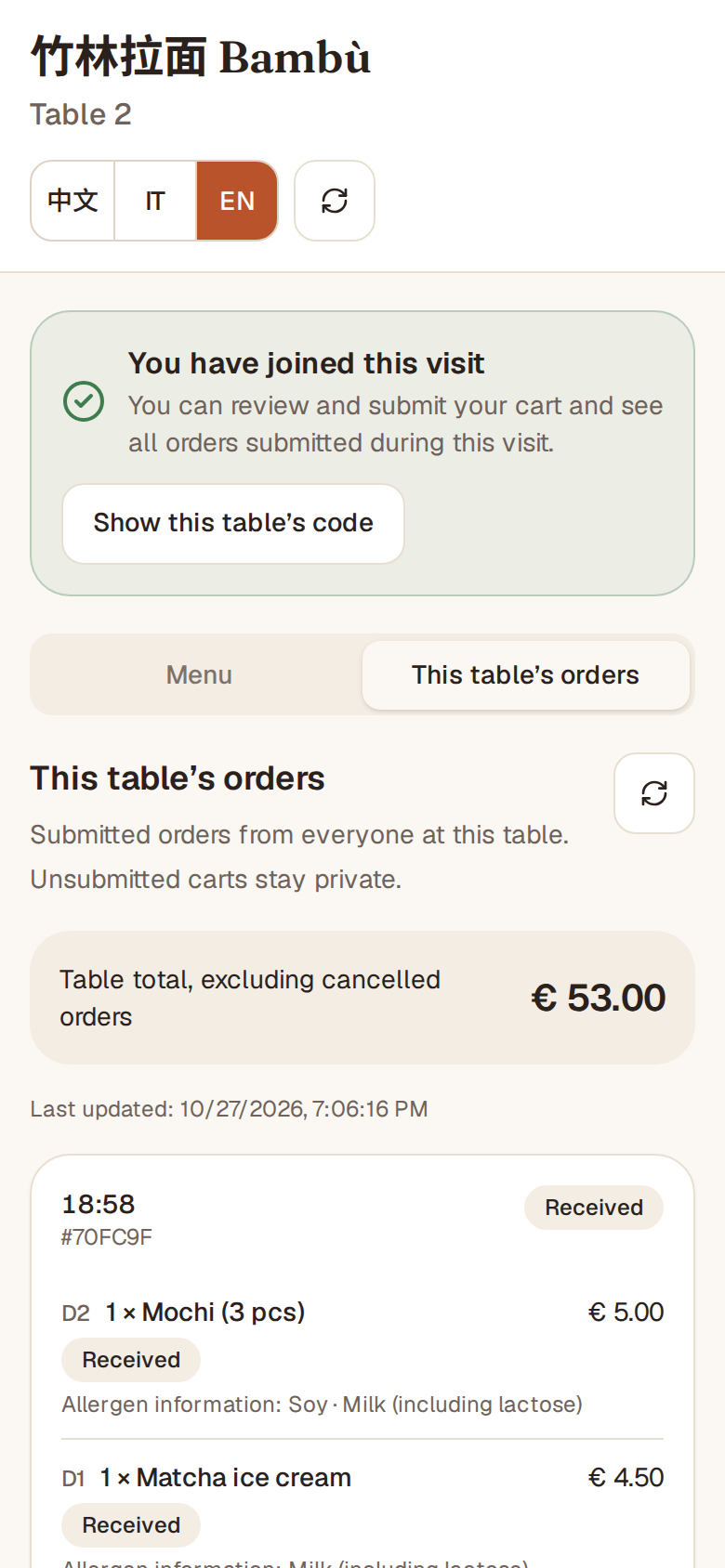
“This table’s orders” shows what the whole table ordered, how far along it is and the total
Table join code: when staff open the table, guests get a 4-character code; someone who only photographed the QR code can’t order
A calm kitchen and pass
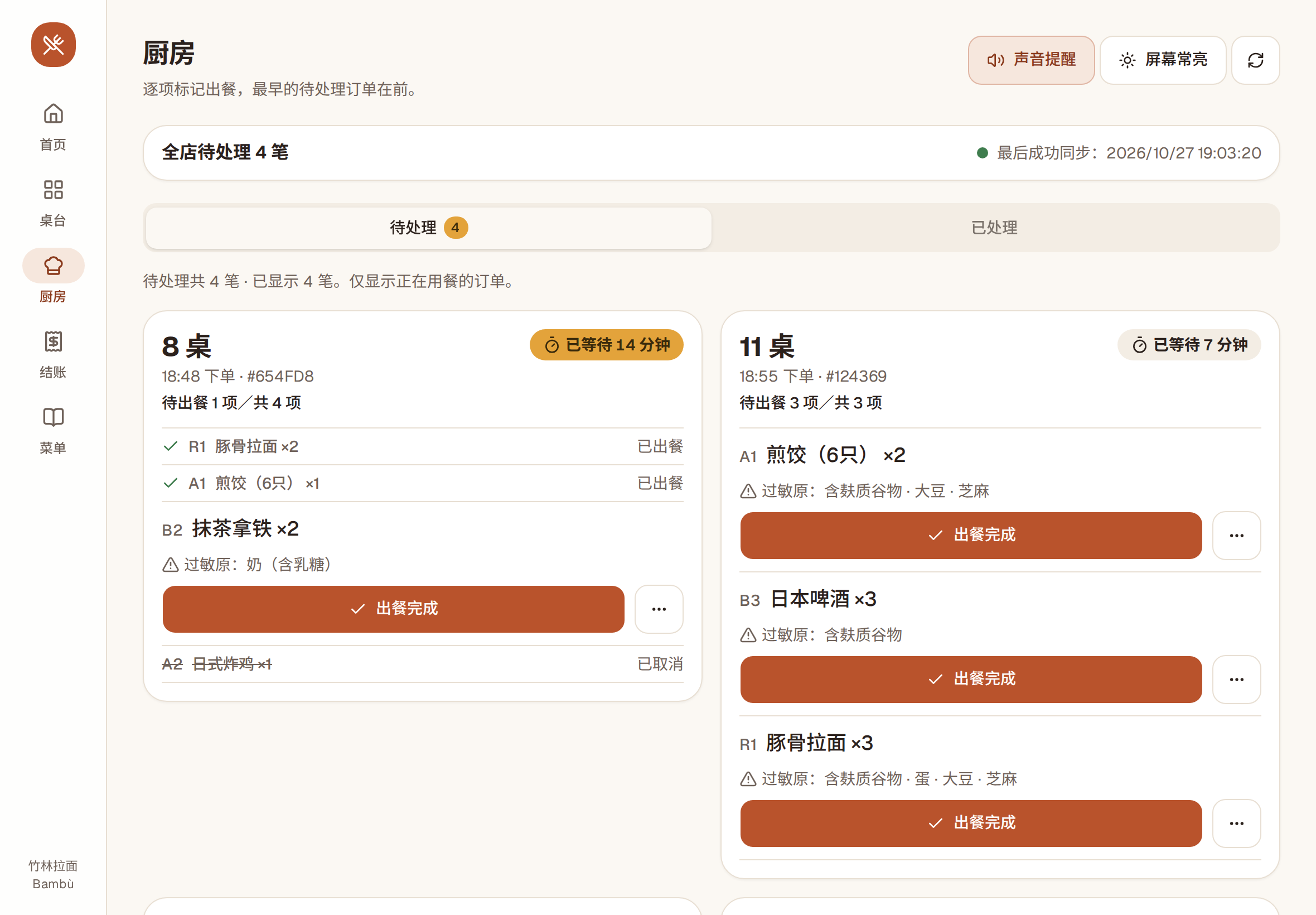
Orders reach the kitchen tablet as soon as they’re placed, oldest first.
Each order shows how many minutes it has been waiting
Mark dishes ready one at a time; cancel one if needed, with an extra confirmation
Sound alert for new orders, and the screen can stay on
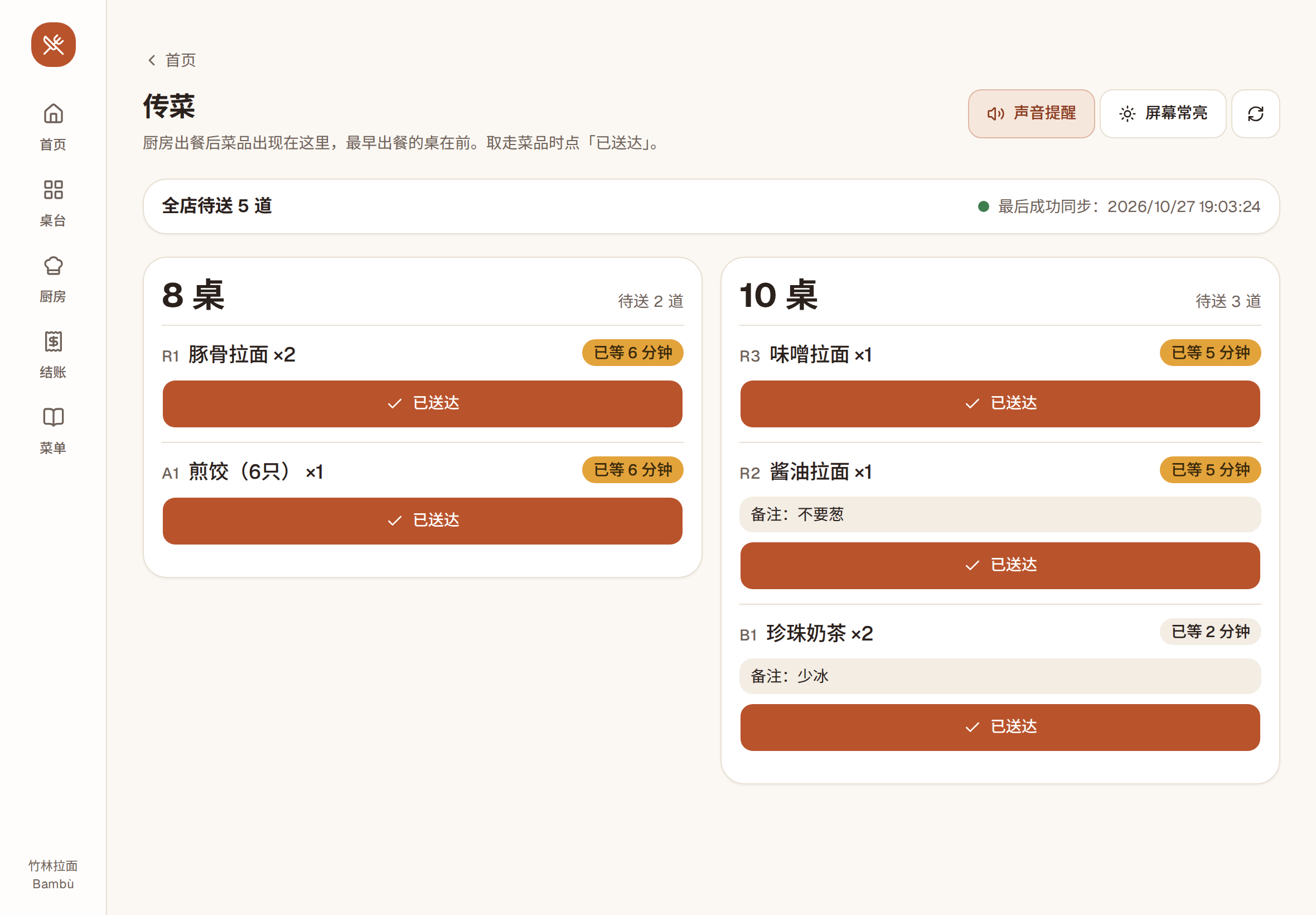
At the pass, a tablet lists dishes ready to serve, grouped by table; tap “served” when they reach the table
If the connection drops, the screen says so clearly, so nobody works from old data
Interface in Chinese
Interface in Chinese
Bills that add up
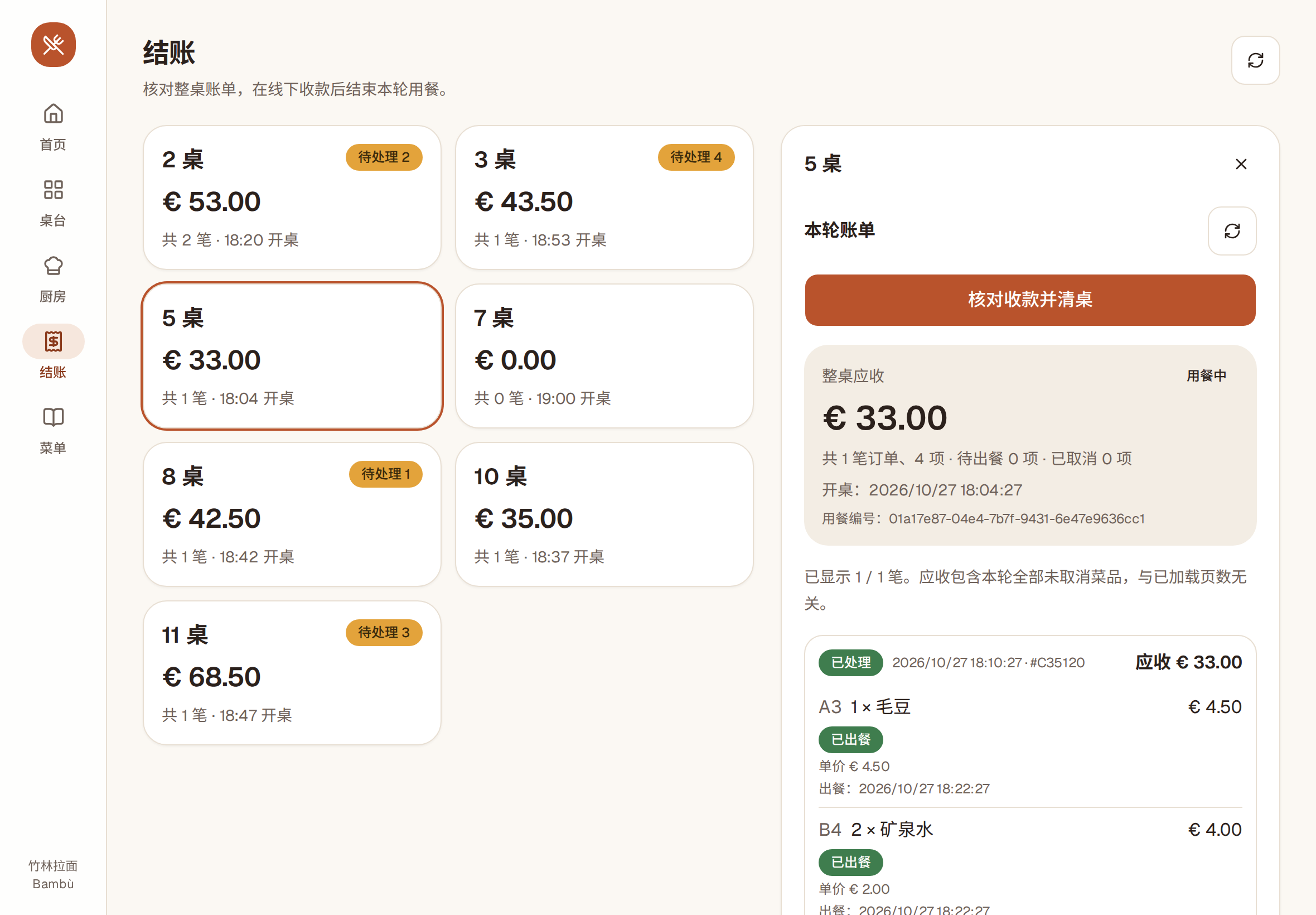
Every order from every round at the table goes into a single bill.
Each dish with price and status; cancelled dishes aren’t charged
Take payment the way you already do: cash, card and your own till stay as they are
After payment, confirm “paid at the counter, table cleared”; the total is checked once more first
Look up closed bills by date
Interface in Chinese
You manage the menu
From your phone or tablet, and guests see the changes right away.
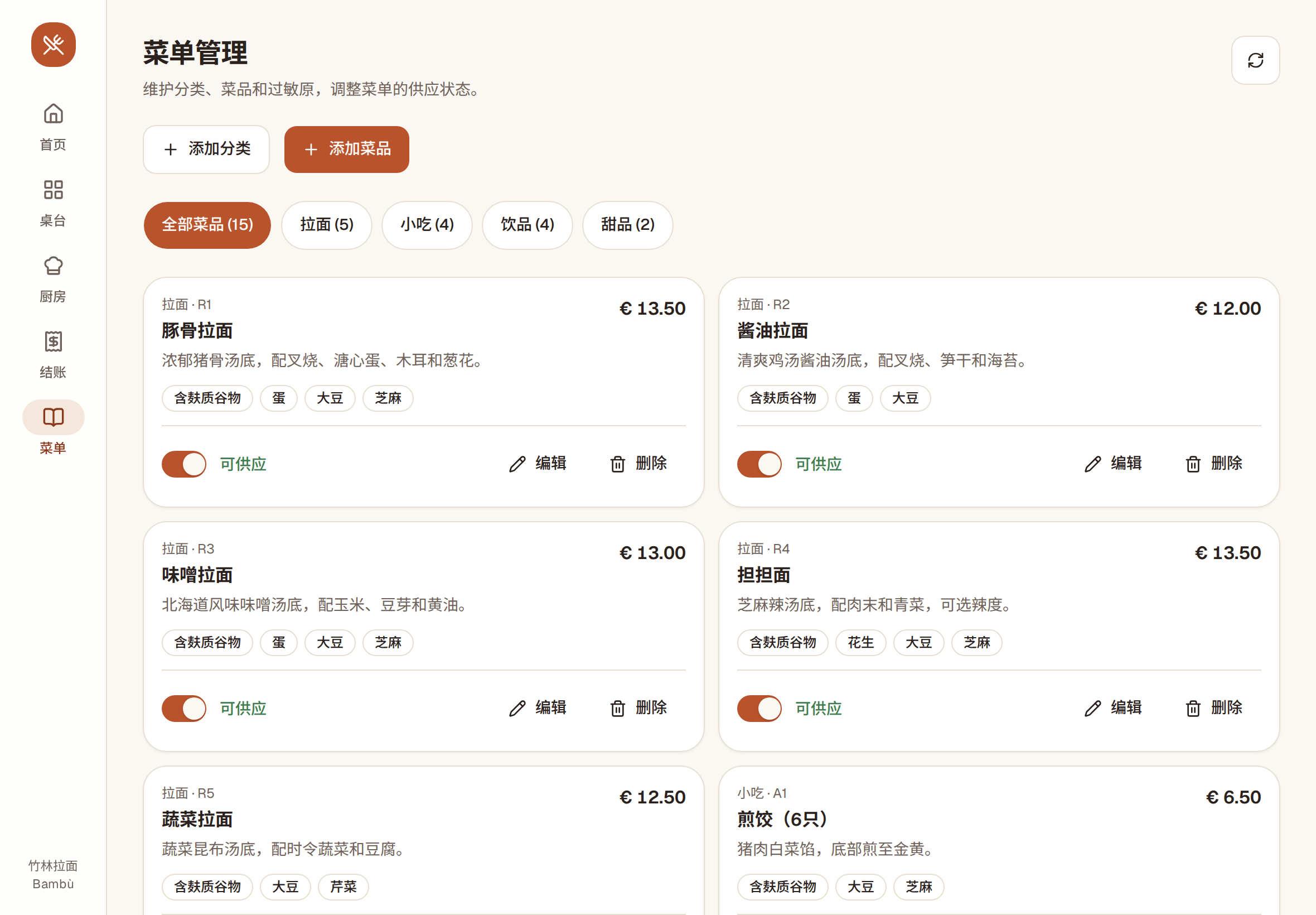
Categories, dishes, prices and dish numbers, change them anytime
Names and descriptions in English, Italian and Chinese: start with one language, add the others later
Before saving a dish you confirm the allergens have been checked
Dish sold out? Switch it off and the guest menu updates right away
Interface in Chinese
In your restaurant’s colours
5 colour themes: the guest menu and the staff screens take on your restaurant’s colours. We set the one that suits your place when we set up your restaurant.
And the small things
Pause orders in one tap
Too busy or closing up? Pause QR ordering for the whole restaurant.
No double orders
If a phone loses its connection or the page reloads, the system checks the order instead of sending it again.
Opens like an app
Staff screens can be added to the home screen of a phone or tablet, no app store needed.
Several devices at once
One owner account and one staff account, usable together on the kitchen tablet, the till and waiters’ phones.
Servers in Europe
Daily automatic database backups; each restaurant’s data is kept separate.
No guest data collected
Guests don’t sign up: the system doesn’t collect names, phone numbers or emails.
Screenshots show “竹林拉面 Bambù”, a made-up sample restaurant: dishes, prices and QR codes are for demonstration only.
Four steps to get started
1
Get in touch
Write to us and we set up your restaurant with an owner account and a staff account.
2
Menu and table cards
Enter your menu in three languages, even from your phone, then download and print a QR table card for each table.
3
Open a table, guests order
Open the table and give guests the code: they order on their own and the kitchen gets it right away.
4
Serve and settle up
The kitchen marks dishes ready; after the meal you check the bill, take payment as usual and clear the table.
For table-service restaurants: guests order at the table and pay after the meal.
Ramen bars
Japanese restaurants
Chinese restaurants
Bubble tea and dessert shops
Trattorias and pizzerias
Not supported yet: all-you-can-eat ordering rounds, takeaway, delivery and reservations.
Frequently asked questions
Do guests need to download an app or sign up?
No. They scan the QR code and order in their phone’s browser, without leaving a name or number.
Do I need to buy special hardware?
No. The phones, tablets and computers you already have will do: all you need is a browser. We suggest a tablet in the kitchen.
Can guests pay on their phone?
No. You take payment the way you do today, and the system helps you check every table’s total. It doesn’t replace your till and doesn’t issue receipts or invoices.
Could someone who photographs the QR code order from outside?
No. When staff open a table, the system creates a 4-character code for the guests; without it, nobody can order. Once the table is cleared, the code stops working.
What language are the staff screens in?
The staff and owner screens (floor, kitchen, bills, menu management) are currently in Chinese only. The guest menu is in English, Italian and Chinese.
What if a dish runs out?
Mark it as sold out: the guest menu shows “Sold out” and it can’t be ordered.
Will a weak connection send orders twice?
No. When the connection comes back, the system checks the order instead of resending it. The kitchen and bills screens also warn you when data isn’t up to date.
How many accounts does a restaurant get?
One owner account and one staff account, each usable on several phones, tablets and computers at the same time.
Does it work for all-you-can-eat or takeaway?
For now it’s built for table service. It doesn’t handle all-you-can-eat ordering rounds, takeaway, delivery or reservations.
Where is the data stored?
On servers in a European data centre, with an automatic database backup every day. Each restaurant’s data is kept separate.
How do I get started?
There’s no online sign-up: write to us and we set up your restaurant. Then you enter your menu, print the table cards and you’re ready.
Request a trial or a demo
Want to see if it fits your restaurant? Write to us: we’ll show you how it works and set up your restaurant.
Email us
Tell us your restaurant’s name and city, and we’ll get back to you.